Delve into the world of Dynamics GP with this comprehensive guide that uncovers the history, features, and customization options of this powerful software. Get ready to embark on a journey filled with valuable insights and practical tips for successful implementation and integration.
Learn how Dynamics GP can revolutionize reporting and analytics for businesses, providing a competitive edge in today's market landscape.
Overview of Dynamics GP
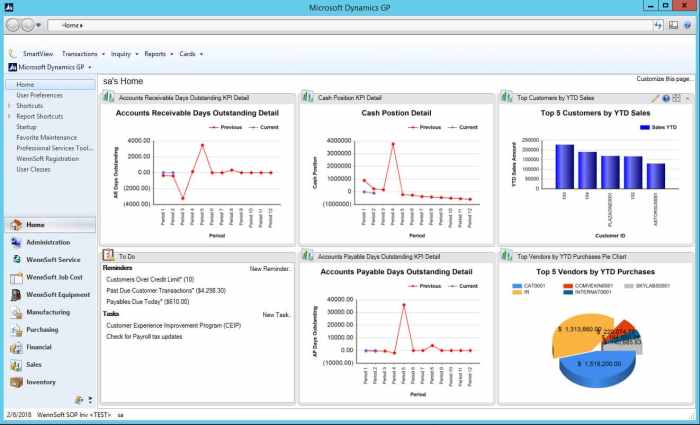
Dynamics GP, short for Dynamics Great Plains, is a business management solution developed by Microsoft. It has a long history dating back to the early 1990s when it was first released by Great Plains Software.
One of the main features of Dynamics GP is its robust financial management capabilities, which include general ledger, accounts payable and receivable, cash flow management, and financial reporting. In addition to finance, it also offers modules for inventory management, sales and purchasing, project accounting, and human resources.
Main Features and Functionalities
- Comprehensive Financial Management: Dynamics GP provides tools for budgeting, forecasting, and financial analysis.
- Inventory Control: Users can track inventory levels, set reorder points, and manage stock across multiple locations.
- Sales and Purchasing: The system allows for order processing, invoicing, and vendor management.
- Project Accounting: Users can track project costs, manage resource allocation, and analyze project profitability.
Target Audience
Dynamics GP is primarily targeted towards small to midsize businesses looking for a flexible and scalable ERP solution. It is suitable for a variety of industries, including manufacturing, distribution, retail, and professional services.
Implementation of Dynamics GP
Implementing Dynamics GP involves several steps to ensure a successful integration of the software into your business processes. It is essential to follow best practices and be prepared for common challenges that may arise during the implementation process.
Steps in Implementing Dynamics GP
- Planning: Define the scope, objectives, and timeline of the implementation process. Identify key stakeholders and allocate resources accordingly.
- Configuration: Customize Dynamics GP to meet the specific needs of your organization. Set up modules, workflows, and user permissions.
- Data Migration: Transfer existing data from legacy systems to Dynamics GP. Ensure data integrity and accuracy throughout the migration process.
- Training: Provide comprehensive training to users to ensure they are familiar with the functionality of Dynamics GP and can effectively utilize the software.
- Testing: Conduct thorough testing of the system to identify any issues or discrepancies. Resolve any issues before going live.
- Go-Live: Launch Dynamics GP across the organization. Monitor performance and address any issues that may arise post-implementation.
Common Challenges in Dynamics GP Implementation
- Lack of clear objectives and scope leading to scope creep.
- Inadequate training resulting in low user adoption rates.
- Data migration errors causing discrepancies in information.
- Integration issues with existing systems and third-party applications.
- Resistance to change from employees accustomed to old processes.
Best Practices for Successful Dynamics GP Implementation
- Engage stakeholders from the beginning to ensure alignment on objectives and expectations.
- Allocate sufficient time and resources for planning and testing phases.
- Provide ongoing training and support to users to facilitate a smooth transition.
- Regularly communicate progress and updates to all stakeholders involved in the implementation process.
- Work closely with experienced consultants or partners for guidance and support throughout the implementation.
Customization in Dynamics GP
Customizing Dynamics GP allows businesses to tailor the software to meet their specific needs and workflows. There are several options available for customization, ranging from simple configurations to more complex development work.
Options for Customizing Dynamics GP
- Custom Fields: Adding new fields to forms and screens to capture additional data.
- SmartLists: Creating custom queries and reports to analyze data in unique ways.
- Modifier with VBA: Modifying the user interface and adding custom scripts using Visual Basic for Applications.
- eConnect: Integrating Dynamics GP with other systems and applications.
Out-of-the-Box Features vs
. Customizations
Out-of-the-box features in Dynamics GP provide standard functionality that meets the needs of many businesses. However, customizations allow businesses to address specific requirements that may not be covered by the standard features. While out-of-the-box features are easier to implement and maintain, customizations provide a tailored solution that can improve efficiency and productivity.
Examples of Common Customizations in Dynamics GP
- Custom Reports: Creating specialized reports to analyze financial data in a unique way.
- Workflow Automation: Implementing custom workflows to streamline approval processes.
- Integration with Third-Party Applications: Connecting Dynamics GP with other software systems to share data seamlessly.
Integration with Other Systems
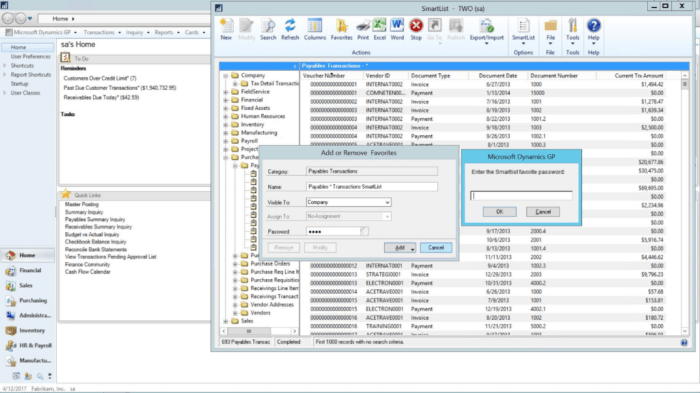
Integrating Dynamics GP with other systems is crucial for businesses to streamline operations, improve efficiency, and enhance data accuracy.
Popular Integrations with Dynamics GP
- Microsoft Power BI: Allows users to create interactive visualizations and reports based on Dynamics GP data for better decision-making.
- eCommerce Platforms: Integration with platforms like Shopify or Magento enables seamless order processing and inventory management.
- CRM Systems: Connecting Dynamics GP with CRM systems like Salesforce ensures a holistic view of customer interactions and financial data.
- Payroll Software: Integrating with payroll systems ensures accurate and timely processing of employee salaries and benefits.
Benefits of Seamless Integration
- Efficiency: Eliminates manual data entry and reduces errors by automating processes across different systems.
- Visibility: Provides a unified view of data from various systems, enabling better decision-making and forecasting.
- Cost-Effectiveness: Reduces the need for duplicate data entry and streamlines workflows, saving time and resources.
- Scalability: Allows businesses to easily scale operations and adapt to changing requirements without disruption.
Reporting and Analytics in Dynamics GP
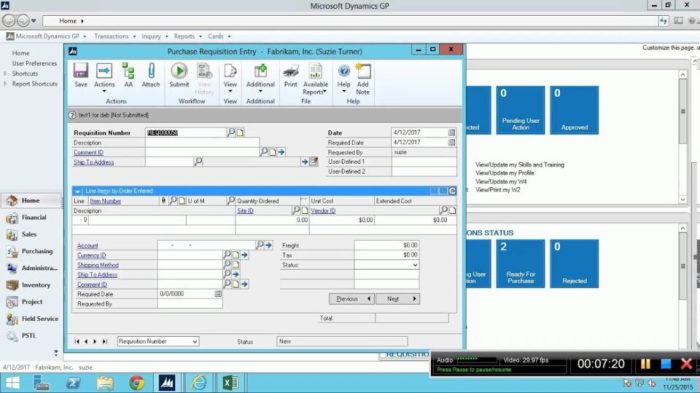
Reporting and analytics play a crucial role in extracting valuable insights from the data stored in Dynamics GP. By utilizing the reporting capabilities and analytics tools within the system, businesses can make informed decisions and optimize their operations.
Reporting Capabilities of Dynamics GP
The reporting capabilities of Dynamics GP allow users to generate a wide range of financial and operational reports. These reports can provide insights into various aspects of the business, such as sales performance, inventory levels, financial health, and more. Users can customize these reports to meet their specific requirements and analyze data in real-time.
Analytics Tools in Dynamics GP
Analytics tools, such as Power BI, can be integrated with Dynamics GP to enhance the reporting capabilities further. These tools enable users to create interactive dashboards, visualize data trends, and perform advanced analytics. By leveraging analytics tools, businesses can gain deeper insights into their data and drive strategic decision-making.
Tips for Optimizing Reporting and Analytics
- Regularly review and update report templates to ensure they align with current business goals and priorities.
- Train employees on how to effectively use reporting and analytics tools to maximize their potential.
- Utilize key performance indicators (KPIs) to track and measure the success of business processes and initiatives.
- Integrate external data sources into Dynamics GP for a comprehensive view of the business landscape.
- Collaborate with data analysts and IT professionals to continuously improve reporting and analytics processes.
Closing Notes
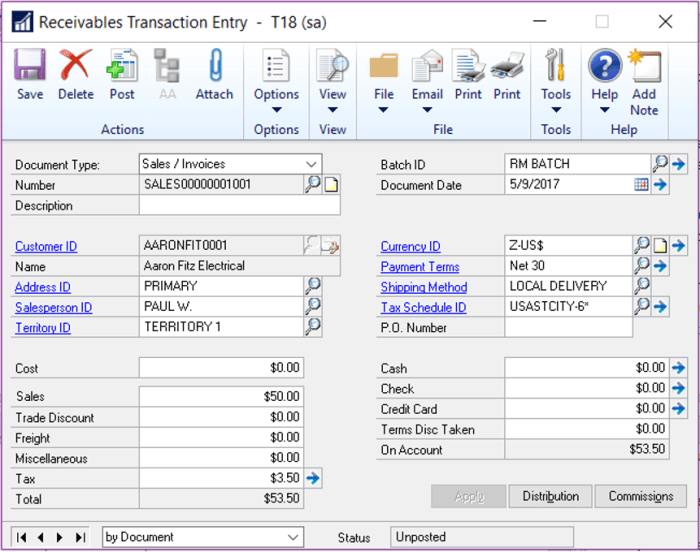
In conclusion, Dynamics GP offers a robust solution for businesses seeking efficient financial management and reporting. By understanding its capabilities and best practices, organizations can maximize their use of Dynamics GP to drive growth and success.
FAQ Insights
What is the main target audience for Dynamics GP?
The main target audience for Dynamics GP includes small to medium-sized businesses looking for a comprehensive financial management solution.
How can Dynamics GP be customized?
Dynamics GP can be customized through various options such as creating custom reports, adding fields, and integrating with other systems.
Why is integration with other systems important for Dynamics GP?
Integration with other systems ensures seamless data flow and eliminates the need for manual data entry, improving overall efficiency.